
Free Stage Plot Templates for Bands, Solo Artists, and Worship Teams
Start with a free template for a solo artist, acoustic duo, rock band, worship band, or drum kit, then customize it and export a PDF.
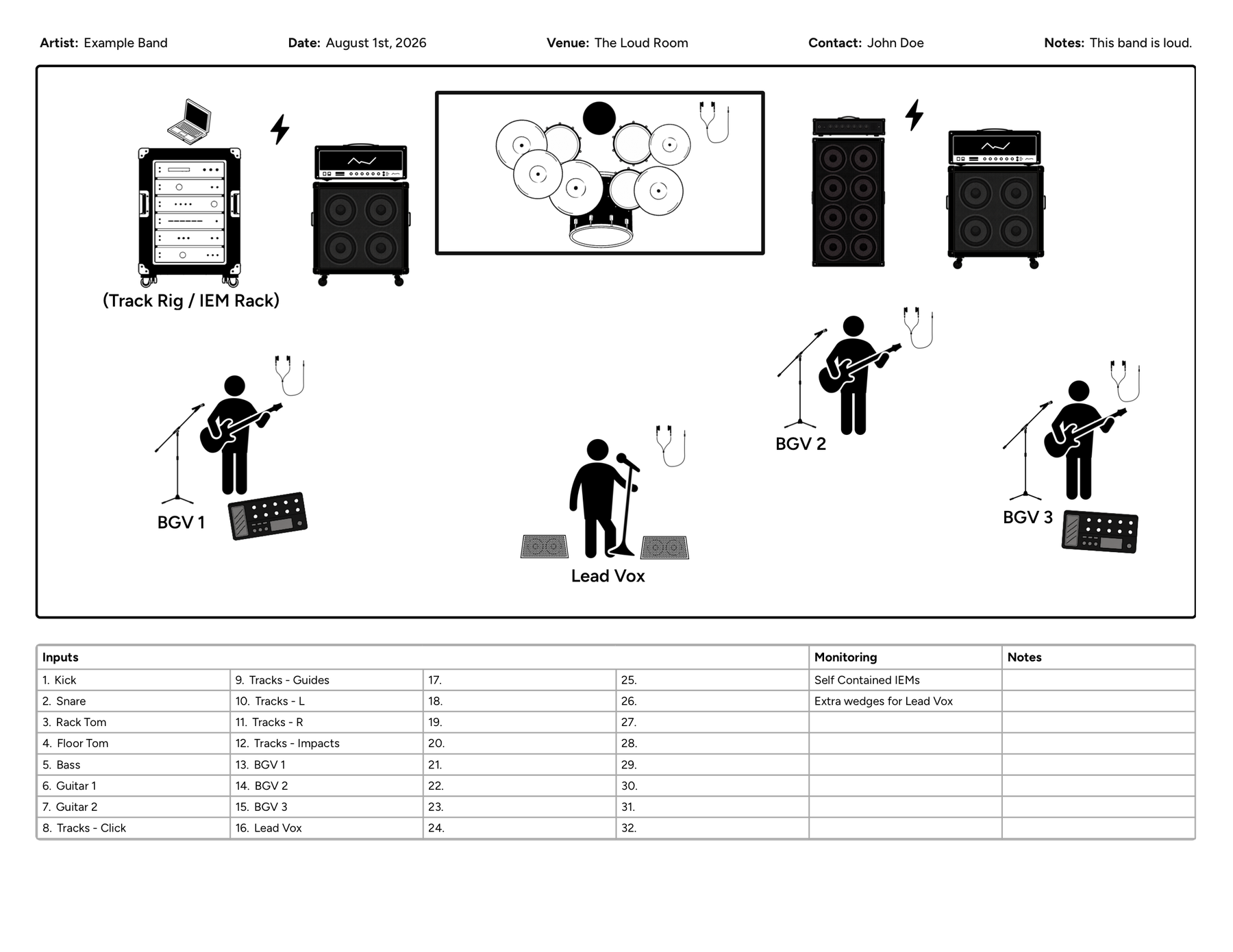
A stage plot does not need to start with a blank page. Most live setups follow a familiar structure, and starting with the closest available template is usually much faster than placing every musician, microphone, monitor, amp, and drum individually.
The free stage plot templates below cover several of the most common setups I encounter as a working musician, from a solo acoustic performer to a full rock or worship band. Each template opens inside Stage Plot Designer, where you can move anything that does not match your setup, add or remove equipment, edit the input list, include notes for the venue, and export everything as a one-page PDF.
These are starting points, not rigid technical requirements. Choose the template that gets you closest to your real setup, then make it accurate before sending it to a venue.
Choose a template
- Solo Acoustic Stage Plot Template
- Acoustic Duo Stage Plot Template
- 3-Piece Rock Band Stage Plot Template
- 4-Piece Rock Band Stage Plot Template
- 5-Piece Band Stage Plot Template
- Worship Band Stage Plot Template
- 1 Up, 1 Down Drum Kit Template
- 2 Up, 1 Down Drum Kit Template
How to use a stage plot template
Start by choosing the template that most closely resembles your current lineup. Once it opens in the designer, move each performer and piece of equipment into the correct position. Update the labels, remove anything you do not use, and add details such as DI boxes, pedalboards, playback rigs, wireless systems, power requirements, or additional monitor mixes.
Next, review the input list. The venue needs to know what connects to the sound system, not just what appears on the stage. Make sure every vocal microphone, instrument output, drum microphone, playback channel, and other audio source is included. You can also use the notes section to explain unusual routing, backline requests, monitor needs, or equipment your band provides. If you want a fuller checklist of what FOH actually looks for, see what venues need on a stage plot.
Solo Acoustic Stage Plot Template
The Solo Acoustic Artist template is built for a singer who performs with one acoustic guitar. It starts with a central vocal microphone, an acoustic guitar position, a monitor wedge, and a simple input list. This makes it a practical starting point for singer-songwriters, opening acts, coffeehouse performers, and acoustic sets at clubs or private events.
A typical version of this setup only needs two audio channels: one DI input for the acoustic guitar and one microphone for the lead vocal. However, you should adjust the template if you use a second guitar, a pedalboard, a separate guitar microphone, stereo outputs, tracks, a looper, or in-ear monitors. If you need the venue to provide a stool, guitar stand, DI box, or power near your position, include that in the notes rather than assuming it will be available.
Common starting inputs: Acoustic guitar DI and lead vocal.
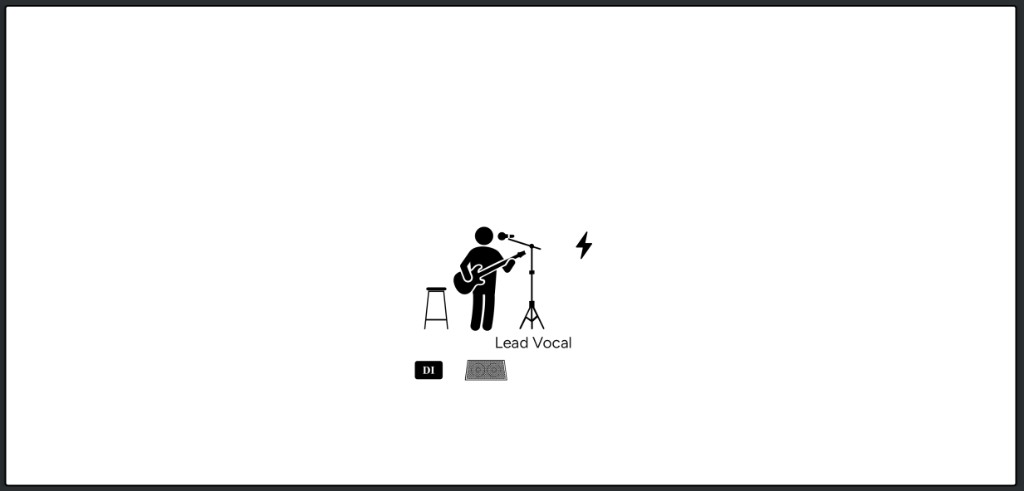
Use the Solo Acoustic Stage Plot Template
Acoustic Duo Stage Plot Template
The Acoustic Duo template provides two performer positions, two vocal microphones, two acoustic instrument positions, and individual monitoring. It works well for two singer-guitarists, an acoustic songwriter duo, or similar stripped-down arrangements.
The most important change is making the template match what each person actually plays. If one musician plays acoustic guitar while the other plays keys, mandolin, fiddle, cajon, or another instrument, replace the generic acoustic setup with the correct equipment and inputs. Labeling each performer by name or role also helps the venue understand who needs which monitor mix and where each instrument should be connected.
If both instruments use pickups, the basic input list will usually contain two DI channels and two vocal microphones. Add any instrument microphones, stereo keyboard outputs, percussion microphones, or playback channels that your particular duo requires.
Common starting inputs: Acoustic guitar 1, acoustic guitar 2, vocal 1, and vocal 2.
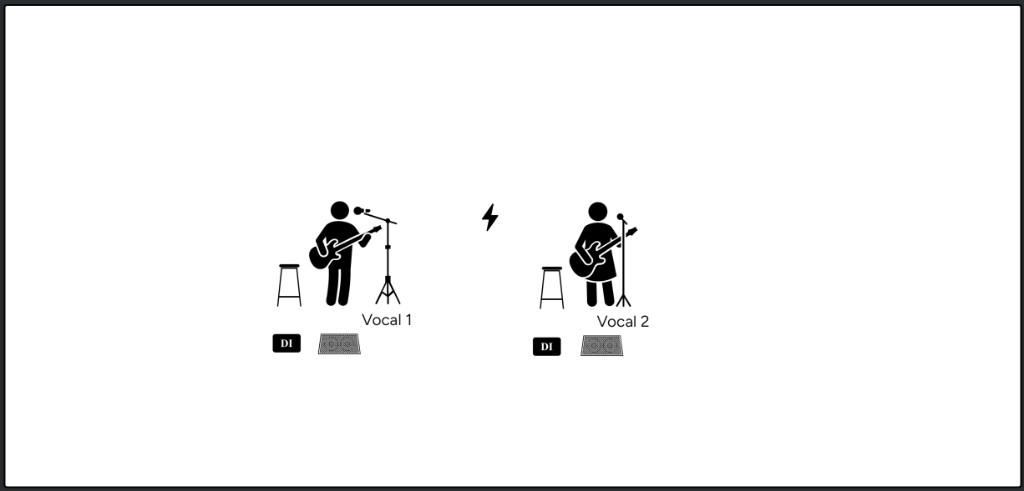
Use the Acoustic Duo Stage Plot Template
3-Piece Rock Band Stage Plot Template
The 3-Piece Rock Band template is designed around a standard drums, bass, and electric guitar lineup. It gives you the basic placement for a power trio while leaving room to customize vocals, amps, monitors, pedalboards, and drum inputs.
Three-piece bands can look simple onstage while still having very different technical requirements. One band might place the bassist and guitarist on opposite sides with both singing, while another may have a single lead vocalist, stereo guitar amplifiers, tracks, or a self-contained in-ear monitor rig. Update the vocal positions and stage labels so the venue does not have to guess who sings or where each amplifier belongs.
The drum input list should also reflect the size of the kit and the scale of the show. A small club may use a compact drum microphone setup, while a larger venue may mic every drum and use separate overheads. Your stage plot should show your actual kit, but the input list is where you specify exactly what needs a channel.
Common starting inputs: Drum microphones, bass DI, electric guitar microphone or modeler output, and required vocals.
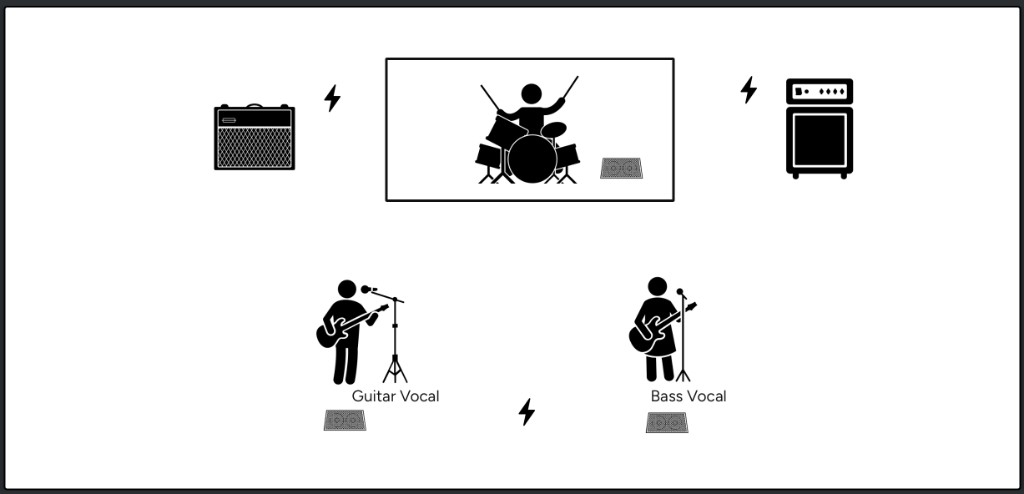
Use the 3-Piece Rock Band Stage Plot Template
4-Piece Rock Band Stage Plot Template
The 4-Piece Rock Band template includes drums, bass, electric guitar, lead vocal, and two backing vocal positions. It is a good starting point for a traditional four-member rock lineup where multiple musicians sing.
Pay close attention to where the vocal microphones and monitor wedges are placed. A venue can usually adapt the position of an amp or pedalboard during load-in, but moving vocal and monitor positions can affect cabling, stage space, sightlines, and monitor mixes. Label the lead vocal and backing vocal positions clearly, especially if the lead singer also plays an instrument.
You should also indicate whether the bass and guitar use traditional amplifiers, direct modelers, or both. If your band carries its own microphones, DI boxes, splitters, or in-ear system, include that information in the notes and distinguish between equipment you provide and equipment you expect from the venue.
Common starting inputs: Drum microphones, bass, electric guitar, lead vocal, and two backing vocals.
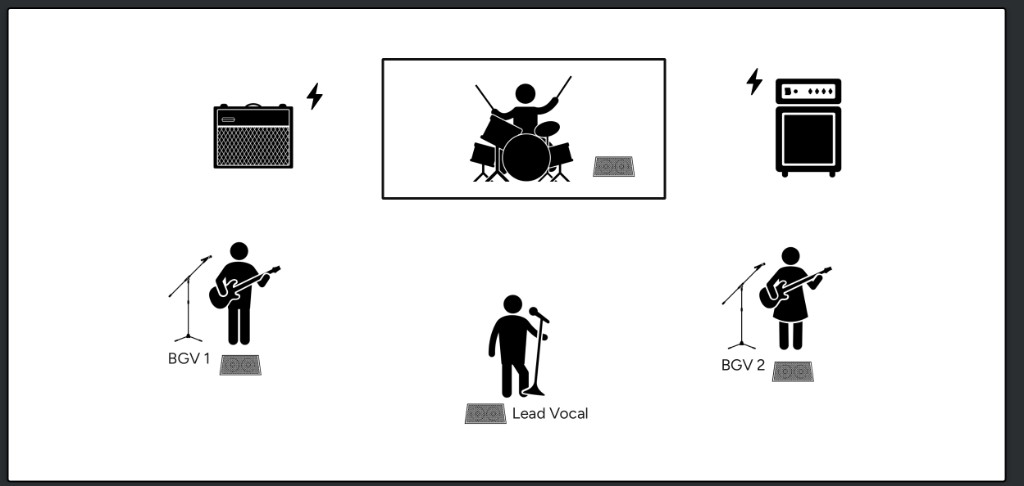
Use the 4-Piece Rock Band Stage Plot Template
5-Piece Band Stage Plot Template
The 5-Piece Band template starts with drums, bass, two electric guitar positions, an acoustic guitar position, and four vocal microphones. It is intended for a larger guitar-driven lineup that needs more stage space, more vocal channels, and clearer communication about where everyone belongs.
With a setup this size, labels become especially important. Identify each musician, which guitar or amplifier belongs to them, and which vocal microphones are used for lead or backing vocals. If the acoustic guitar and one of the electric guitars are played by the same person, make that clear rather than making the venue prepare for an additional performer.
This template is also a good place to document switching and routing details. For example, note whether the acoustic guitar runs through a DI, whether electric guitars use amplifier microphones or direct outputs, and whether any instruments share wireless systems or pedalboards. If the band uses tracks, a talkback microphone, a playback computer, or its own monitor rack, add those pieces to both the plot and input list.
Common starting inputs: Drum microphones, bass, two electric guitars, acoustic guitar, and four vocals.
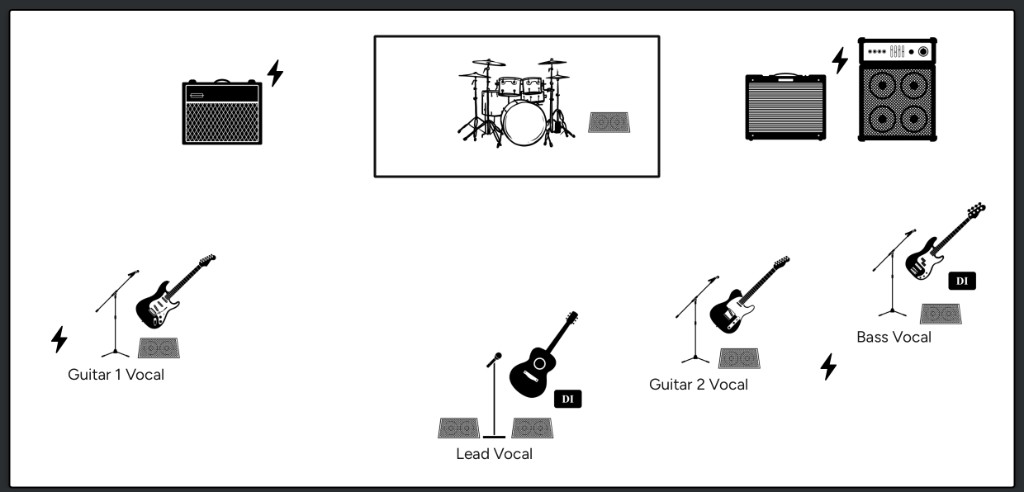
Use the 5-Piece Band Stage Plot Template
Worship Band Stage Plot Template
The Sunday Morning template is designed for a worship service with a full band, a pastor or speaking position, and a choir. It provides a starting point for organizing a larger group with several different types of inputs and people moving through the stage during the service.
Worship setups can vary substantially from one church to another, so this template is meant to be customized. Update the band positions to reflect your regular team, then adjust the number of choir microphones, vocalists, keyboards, guitars, and speaking microphones. If the pastor uses a wireless handheld, headset, or lavalier microphone, label that correctly. You should also show any lectern, playback station, musical director position, or talkback microphone that needs to remain accessible.
For recurring services, an accurate stage plot can be useful even when the equipment rarely moves. It gives staff members, volunteers, guest musicians, and visiting production teams a common reference for stage positions, channel assignments, and monitor needs. Save a master version, then duplicate and update it when the weekly lineup changes.
Common starting inputs: Drum microphones, bass, guitars, keyboards, band vocals, choir microphones, playback channels, and a pastor or speaking microphone.
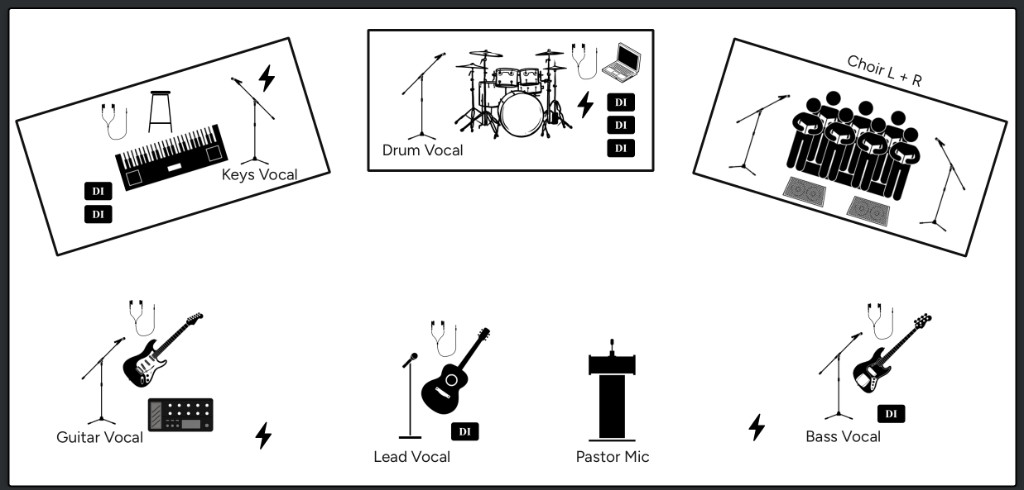
Use the Worship Band Stage Plot Template
4-Piece Drum Kit Stage Plot Template: 1 Up, 1 Down
The 1 Up, 1 Down drum template represents a four-piece kit with a kick, snare, one rack tom, and one floor tom. This compact configuration is common for rock, country, indie, punk, and smaller stages where a straightforward drum setup makes load-in and changeovers easier.
Use this template when the venue or backline provider needs more information than simply “drum kit.” In addition to the drums, show the approximate position of the hi-hat, ride, crashes, throne, and any electronic pads, sample pads, or laptop stands. If you are requesting backline, include the preferred drum sizes and list any pieces you plan to bring yourself, such as cymbals, snare, kick pedal, and hardware.
The matching input list commonly includes kick, snare, rack tom, floor tom, and overheads. Hi-hat, snare-bottom, or additional kick channels can be added when the production scale requires them. Only list the channels you actually need rather than making the input list larger for the sake of looking more detailed.
Common starting inputs: Kick, snare, rack tom, floor tom, and overheads.
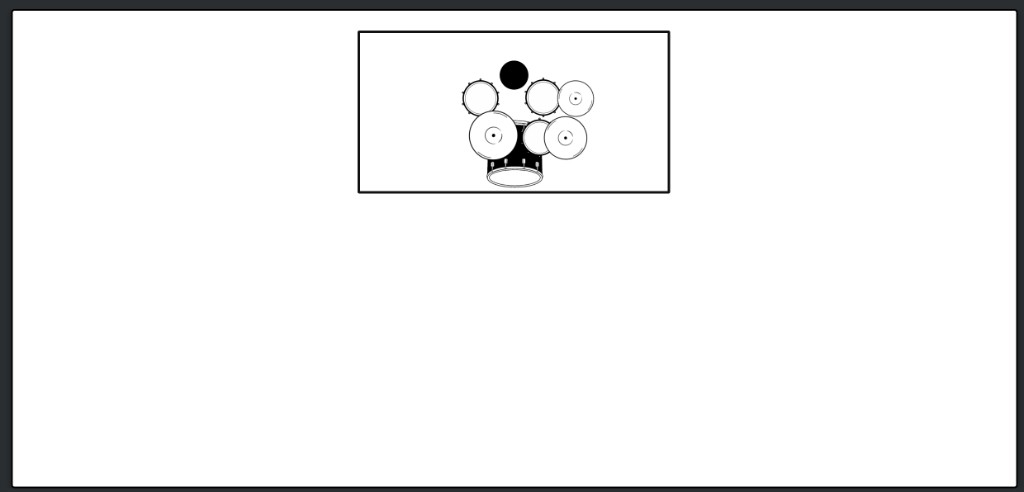
Use the 1 Up, 1 Down Drum Kit Template
5-Piece Drum Kit Stage Plot Template: 2 Up, 1 Down
The 2 Up, 1 Down drum template represents a five-piece kit with a kick, snare, two rack toms, and one floor tom. It is a familiar configuration for rock, pop, country, worship, and general-purpose backline kits.
This template helps distinguish a five-piece shell configuration from the smaller 1 Up, 1 Down setup. That distinction matters when you are requesting backline or when the audio team needs to prepare the correct number of drum microphones and channels. Add cymbals, stands, electronics, percussion, a second kick, or another floor tom if they are part of your normal live setup.
For backline requests, specify any drum sizes that are genuinely important while leaving reasonable flexibility when possible. Also make it clear which pieces the venue should provide and which items the drummer will carry. A note such as “Venue provides shells and hardware; drummer brings snare, cymbals, pedal, and throne” is much more useful than a generic request for a drum kit.
Common starting inputs: Kick, snare, rack tom 1, rack tom 2, floor tom, and overheads.
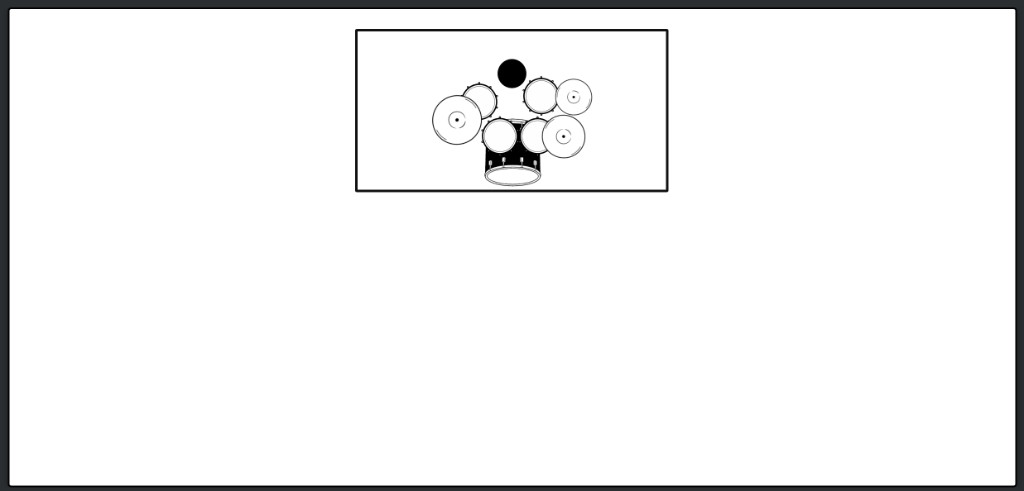
Use the 2 Up, 1 Down Drum Kit Template
What to change before sending your stage plot
No matter which template you choose, the finished stage plot should describe your real show. Confirm that every performer is represented, every vocal position is labeled, and every audio source appears in the input list. Remove unused equipment instead of leaving it on the plot, since the venue may prepare microphones, cables, stands, or channels based on what you send.
It is also worth checking your monitor requirements, power needs, playback setup, and backline notes. If your band carries its own console, IEM rack, microphone package, or stage cabling, explain where the house system connects to it. Finally, add a contact name and make sure the file reflects your current lineup before sending it to the venue. How to advance a show before load-in walks through that package, and the examples page shows how a finished plot and input list look together.
Build your own stage plot for free
These templates are meant to get the repetitive work out of the way without locking you into someone else’s setup. Open the closest match, rearrange it for your band, update the input list, and export a clean PDF that gives the venue something it can actually use.
Stage Plot Designer is free to start, and you do not need an account to build and export your first stage plot.