


Tip
What venues actually need on a stage plot
Answer the questions FOH and monitors actually have before you arrive — without overcomplicating the document.
Read articleStage plots & input lists
Plan your stage setup, organize your input list, and give venues the information they need for a smoother show, without complicated design software.
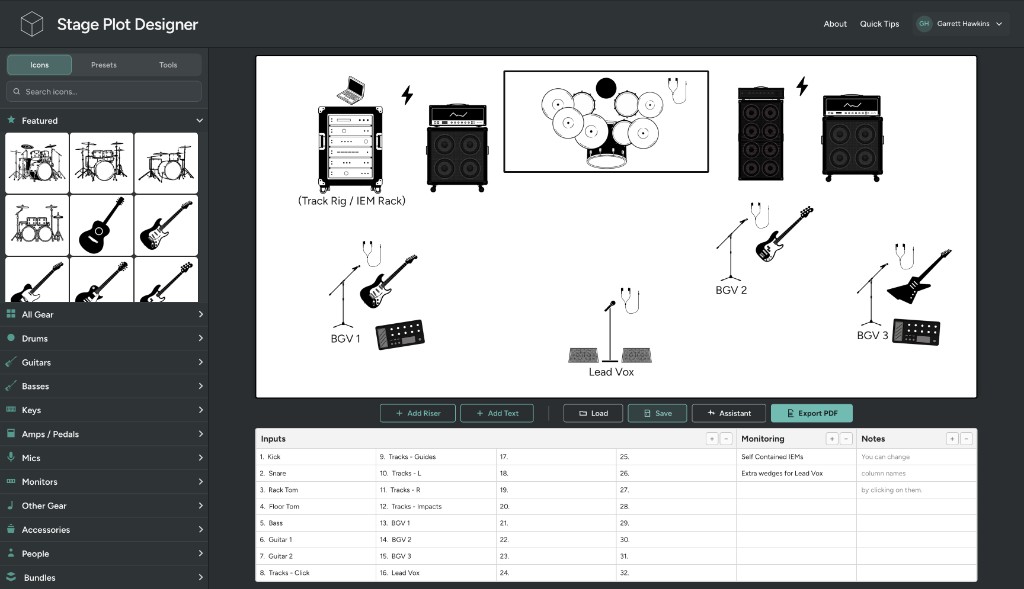
How it works
Combine your stage plot and input list so you can plan faster and with confidence.
Drag and drop gear, people, and labels onto a customizable stage layout.
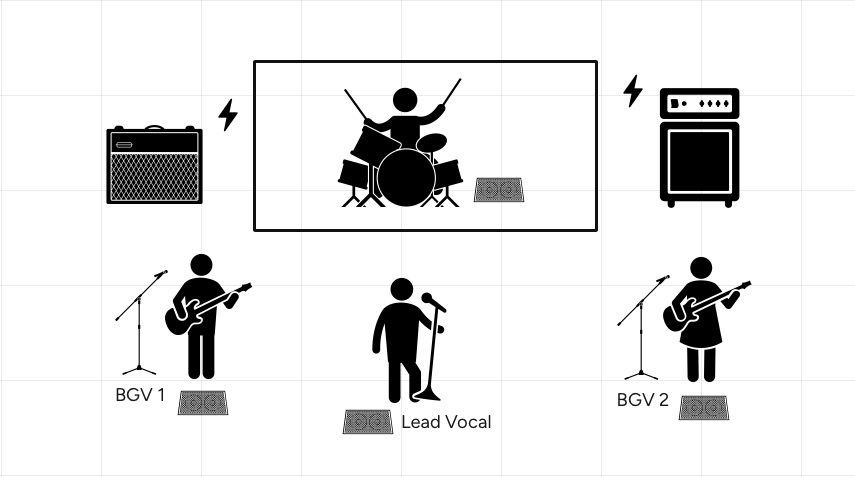
Add channels, mics, DIs, monitor mixes, and notes alongside your stage plot.
| Inputs | |
|---|---|
| 1.Kick | 9.Electric Guitar |
| 2.Snare | 10.Lead Vocal |
| 3.Rack Tom | 11.BGV 1 |
| 4.Floor Tom | 12.BGV 2 |
| 5.Overhead L | 13. |
| 6.Overhead R | 14. |
| 7.Hi-Hats | 15. |
| 8.Bass Guitar | 16. |
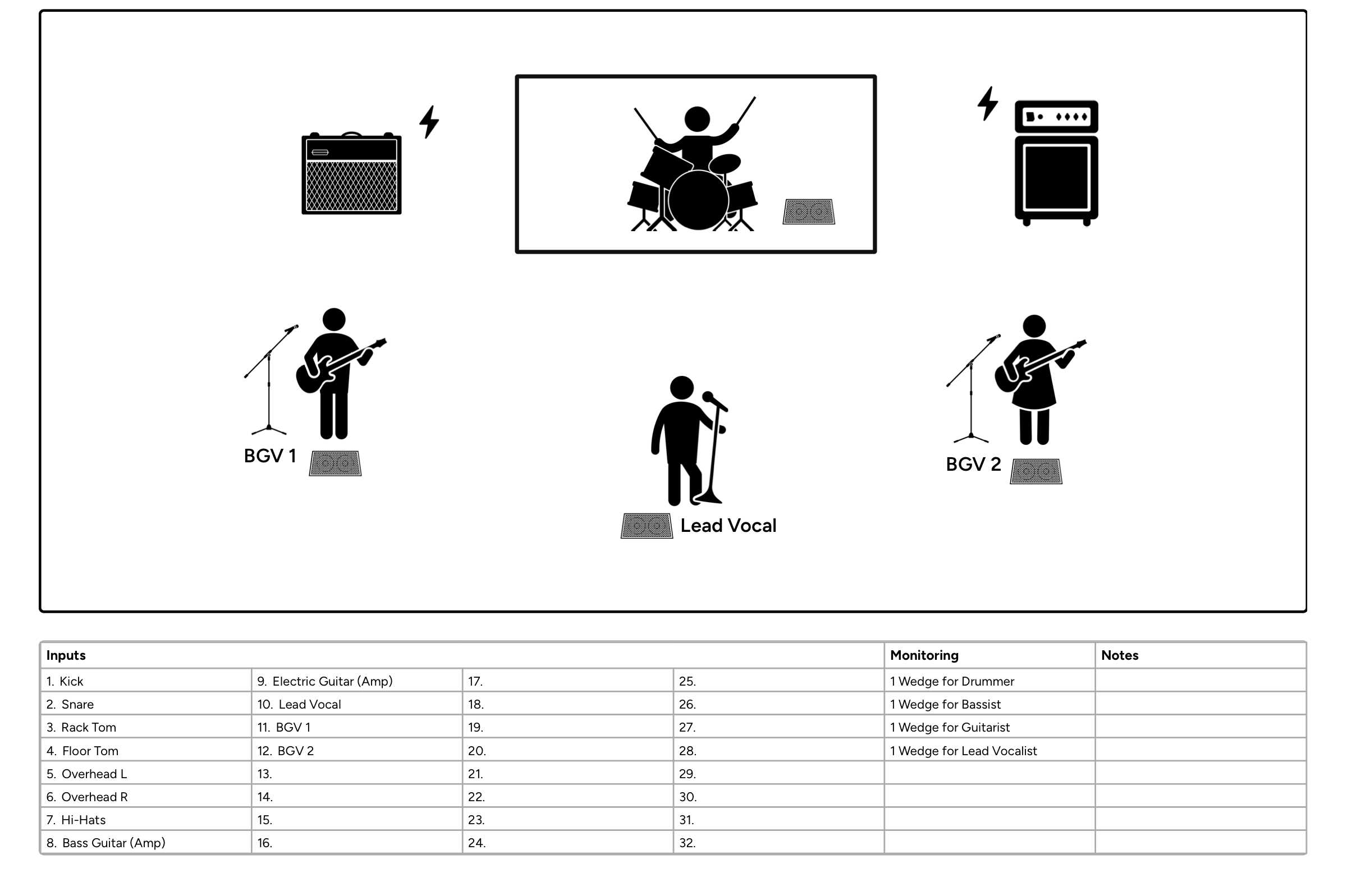
Export a clean, venue-ready PDF with your stage plot and input list on one page.
Why it exists
Stage Plot Designer makes it easy to create clear, professional stage plots without expensive or clunky software. Plan your stage setup, organize your input list, and give venues what they need before load-in.
I’m Garrett Hawkins, a professional musician who got tired of stage plot tools that didn’t work for me. After trying different options and seeing how other bands handled their plots, I wanted something simpler, faster, and more practical.
Most bands I know still advance shows with stage plots duct-taped together with Photoshop, screenshots, and clunky icons. I wanted to create a dedicated tool to map out the gear on stage, keep the input list attached to it, and send production something clear and easy to update whenever the artist’s setup changes.
Stage Plot Designer is built around real-world use, with a focus on making show prep faster, clearer, and less frustrating for musicians and production teams. Every preset, icon, and export option exists because a real gig needed it, not because a marketing page looked better with another bullet point.
Output examples
Real exports from working shows: stage layout, input list, and monitor notes in a single PDF.
Pedal steel, track rig, and IEM notes: the kind of advance a touring artist sends ahead of load-in.
Five-member band with tracks, IEMs, and lead vocal wedges: stage layout and input list on one page.
Full band with choir, tracks, and spoken word: inputs, monitors, and notes in a single PDF.
Pricing
$0
Create and export freely. No account required.
No account required.
$19.99$9.99/ year
Save one plot and unlock all presets.
Use code First50 at checkout · billed yearly
$29.99$14.99/ year
Unlimited saves and larger input lists.
Use code First50 at checkout · billed yearly
Cancel anytime in Manage billing · Secure checkout powered by Stripe
Blog
Stage plot tips, product news, feature deep-dives, and insights from audio engineers.
Answer the questions FOH and monitors actually have before you arrive — without overcomplicating the document.
Read article
Send your plot early, keep it updated, and give production one clear package to work from.
Read article
What to include on a touring stage plot, and how to keep it useful when rooms and setups change every night.
Read articleFAQ
Quick answers for musicians advancing shows and sending plots to venues.
Stage plots
A stage plot is a top-down diagram showing how a band or artist sets up on stage. It typically shows where musicians, drums, amps, microphones, monitors, keyboards, playback rigs, and other gear should go. Venues and production teams use it to prepare the stage before load-in and understand your setup before soundcheck.
A stage plot shows where everything goes on stage. An input list shows what needs to be connected to the audio system, including channel numbers, instruments, microphones, DIs, and other notes. Stage Plot Designer keeps both together so the venue can see the physical layout and channel requirements in the same document.
Not every club requires one, but a stage plot can make even a small show easier to advance. It gives the venue a clear picture of your setup before you arrive, especially if you have multiple musicians, amps, monitors, tracks, keyboards, or other equipment that needs to be placed and connected.
At minimum, send a current stage plot and input list along with any important notes about monitors, IEMs, playback, backline, or gear you expect the venue to provide. It is also helpful to confirm your load-in, soundcheck, and set times and give production a contact for any questions before the show.
Illustrator and PowerPoint can be used to draw a stage plot, but they are general-purpose design tools. Stage Plot Designer is built specifically for live music, with draggable stage gear, musician and equipment icons, presets, an integrated input list, and PDF export. You can build and update a plot without manually drawing or formatting every part of it.
Plans & accounts
Yes. You can use Stage Plot Designer for free to build a stage plot, create an input list, and export your work. Paid plans add features such as cloud saves and watermark-free exports.
Yes. Free users can export their stage plot and input list as a PDF. Free exports include the Stage Plot Designer watermark, while paid plans remove it.
No. You can open Stage Plot Designer and start building a stage plot without creating an account. An account is needed for features tied to saving and managing plots in the cloud.
Open the designer, drop your gear on stage, and export a clear plot the venue can actually use.