
What venues actually need on a stage plot
Answer the questions FOH and monitors actually have before you arrive — without overcomplicating the document.
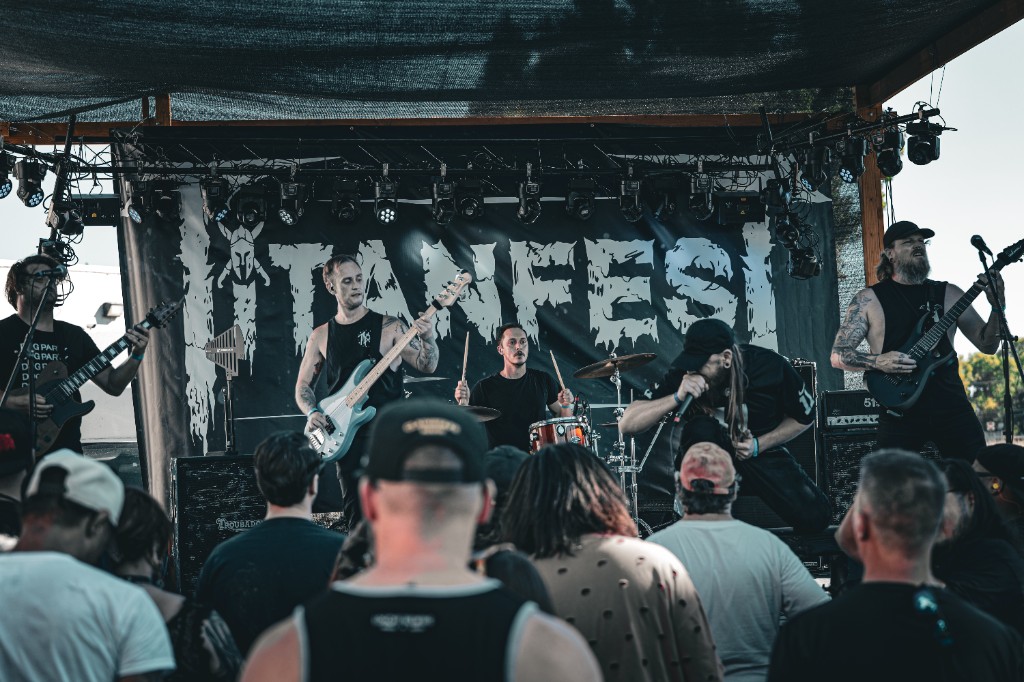
A stage plot does not need to be complicated. It needs to answer the questions the venue, FOH engineer, and monitor engineer are likely to have before you arrive. If your plot clearly shows who is on stage, where they stand, what needs to be plugged in, and anything unusual about the setup, you are already most of the way there. The goal is not to make the document impressive. The goal is to make load-in and setup easier for everyone.
Show the layout and label it clearly
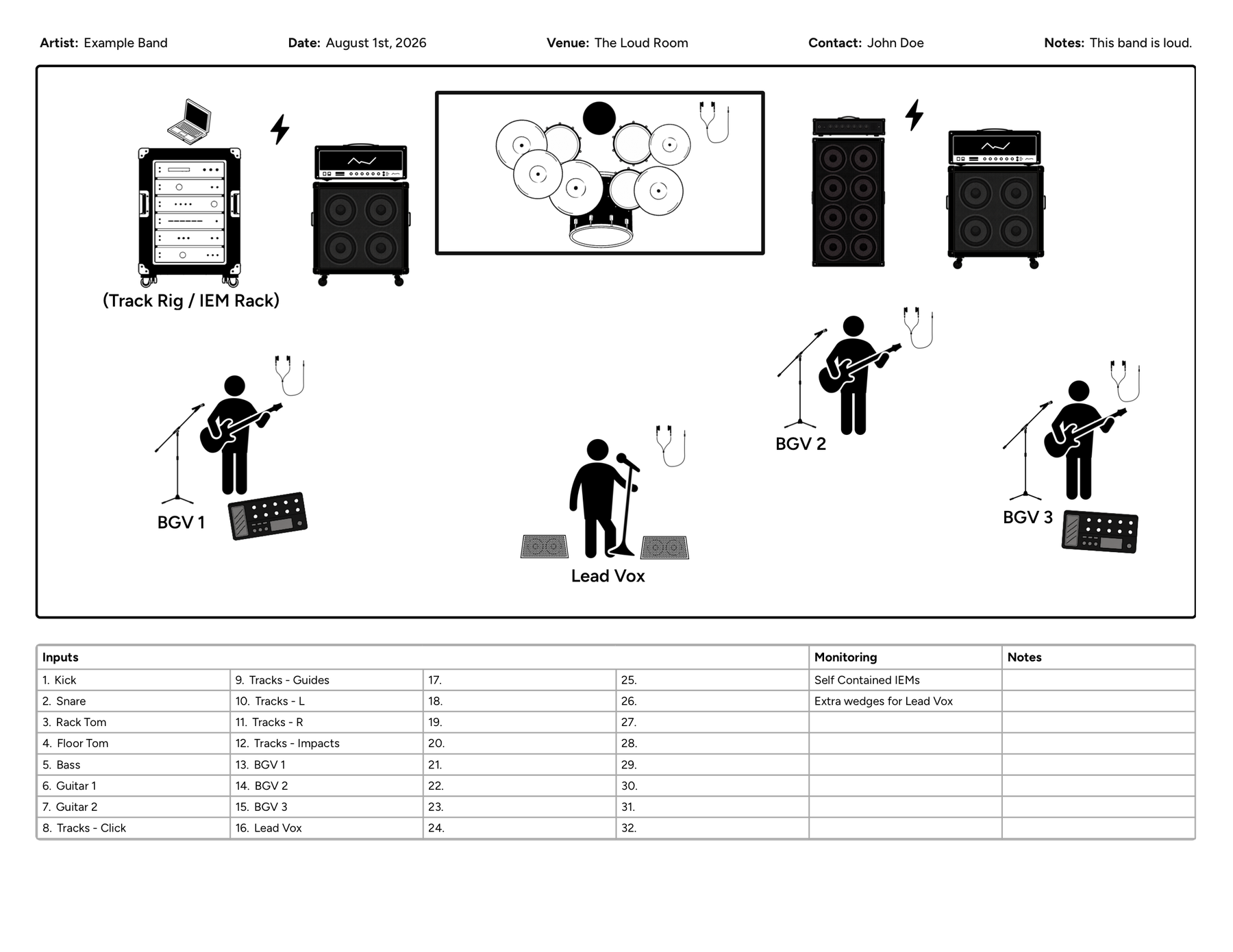
The first thing production needs to understand is where everyone and everything goes. Your stage plot should clearly show the drummer, vocal positions, guitar and bass positions, amps and cabinets, keyboards, monitor wedges, pedalboards or playback rigs, risers if you use them, and any unusually large or fixed-position gear. You do not need exact measurements unless something truly depends on them. What matters more is the relationship between each part of the setup. If the drummer is upstage center, guitar is stage right, bass is stage left, and lead vocal is downstage center, make that obvious.
Do not assume the crew knows your band. A label like "Mike" might make perfect sense to you, but "Lead Vocal / Guitar" tells production much more. The same goes for equipment. Use names someone outside your band can understand quickly — Guitar Amp, Bass DI, Acoustic DI, Keys L/R, Tracks L/R, Lead Vocal, BGV 1, BGV 2, Drum IEM Rack. You can still include names if they help, but role and function usually matter more. A good plot lets someone glance at the page and understand the basic layout in seconds.
Keep the input list with the plot
A stage plot shows where things go. An input list tells the audio team what needs to be connected. For most bands, the two should go together. A basic input list might look like this:
| Ch. | Source | Mic / DI | Notes |
|---|---|---|---|
| 1 | Kick | Beta 52A | |
| 2 | Snare | SM57 | |
| 3 | Rack Tom | e904 | |
| 4 | Floor Tom | e904 | |
| 5 | Overhead L | Condenser | |
| 6 | Overhead R | Condenser | |
| 7 | Bass | DI | |
| 8 | Guitar | e609 | |
| 9 | Lead Vocal | SM58 | |
| 10 | BGV | SM58 |
You do not always need an exact microphone model. If the venue's standard drum mic package is fine, identifying the source may be enough. If a specific mic or DI matters to your setup, say so. Tell production what they need to prepare without filling the document with unnecessary preferences.
Monitor information is one of the easiest things to leave vague, and one of the most useful things to clarify before the show. If you use wedges, show where they go and label mixes when possible. If the whole band uses IEMs, make that obvious. If you bring your own IEM rack, splitter, mixer, or monitor console, mention it so production knows whether they are building mixes for you or connecting your system to theirs. Put the physical setup on the plot and use notes for anything more technical.
If your band uses tracks, samples, click, or timecode, spell out what FOH actually receives. Do not make production guess whether your laptop sends one mono track, stereo backs, four stems, or a dozen channels. Useful labels include Tracks L, Tracks R, Click, Timecode, Sample Pad, or Playback L/R. If click only routes to your IEMs and never reaches FOH, note that too.
Say who brings what, and note anything unusual
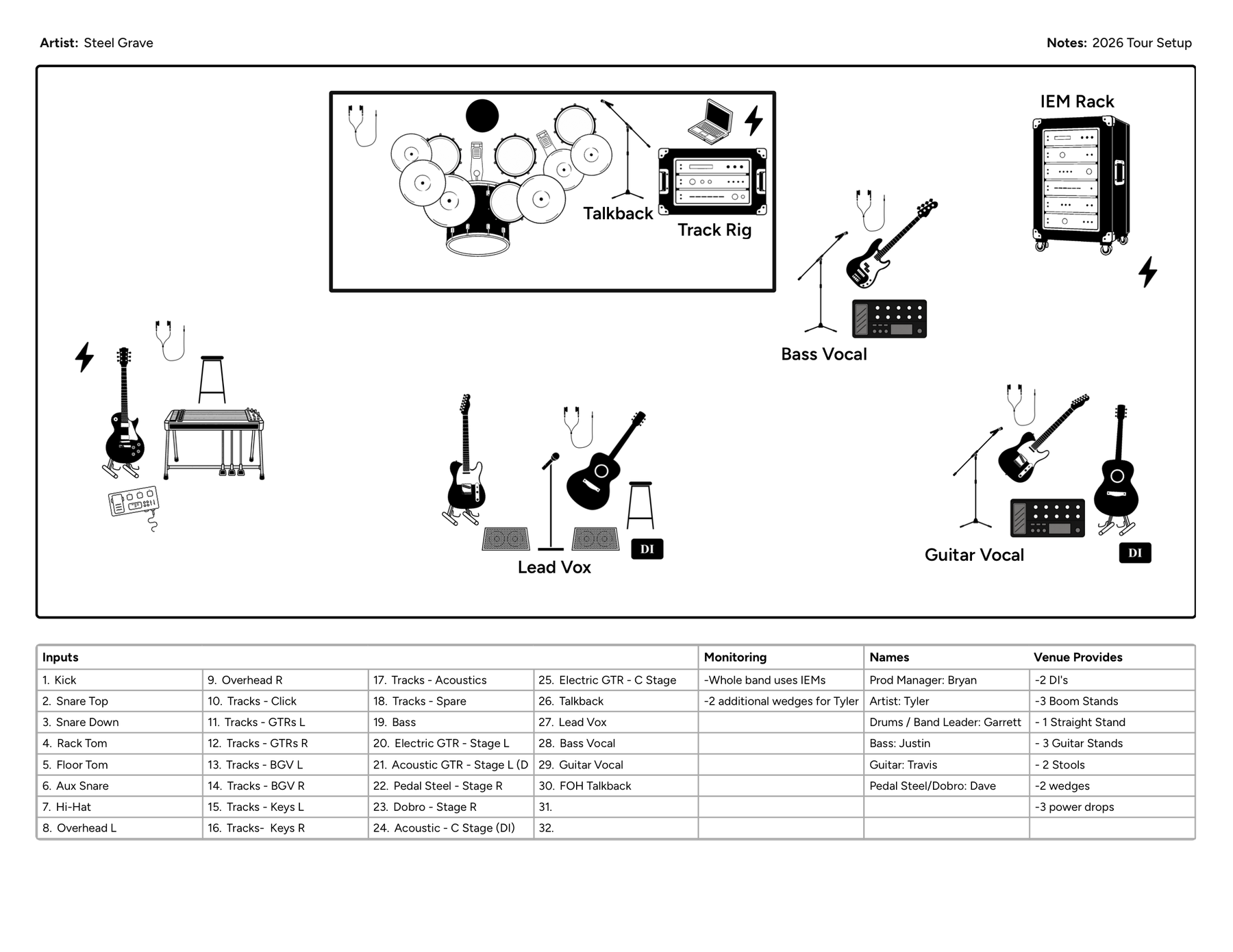
A good advance also answers who is providing what. If you bring your own drum kit, amps, microphones, DI boxes, IEM system, playback rack, or stands, say so. Likewise, make clear what you expect the venue to provide.
Band provides: backline, vocal mics, IEM rack, playback system
Venue provides: drum mics, stands, XLR, PA, AC power
The exact split differs for every band. What matters is eliminating assumptions. If the engineer thinks you are bringing something and you think they are providing it, you may not discover the problem until load-in.
Most standard setups can be understood from the plot and input list alone. Notes become valuable when something is unusual — a drummer needing a riser, a guitar cab staying offstage, no wedge at center vocal, bass DI only, a playback rack needing power stage left, electronic drums needing extra DIs, an analog split, or wireless that needs coordination. If production needs to know it before building the stage, include it. Avoid turning notes into a technical manual; important information gets harder to find when it is buried in minor preferences.
Add contact info and a version date
Someone should be able to look at the document and know who to contact with questions — tour manager, production manager, bandleader, FOH engineer, or artist contact. If one of the musicians handles the advance, that is completely normal. Just make it obvious who to reach and how.
A date or version is especially useful if your setup changes regularly. A venue does not know whether the PDF they received was created yesterday or two years ago. Something simple like Updated September 2026 or Tour Plot v3 helps confirm everyone is working from the same file. When the setup changes, send the updated document rather than assuming the venue will remember a change from another email.
Keep the document readable — and leave the rest out
Production may view your stage plot on a phone, laptop, tablet, or printed sheet. Tiny labels and crowded icons make an otherwise accurate plot hard to use. Keep text large enough to read, space icons apart, use short labels, organize the input list clearly, and keep notes concise. White space is useful.
More information is not always better. Production probably needs to know that your guitarist uses one amp and needs a microphone on it. They probably do not need every distortion pedal on the board. A useful test: does production need this to prepare the stage, patch the show, or run audio? If not, it may belong somewhere else.
FOH and monitors may look at the same document for different reasons. FOH often cares most about input count, mic and DI needs, playback outputs, unusual sources, and what the band is providing. Monitors may focus more on musician positions, wedge locations, mix assignments, vocal mics, IEM connections, and talkback. A strong stage plot supports both without requiring two separate documents — another reason to keep the visual layout and input list together.
A short stage plot checklist
Before sending your advance, make sure your stage plot answers these questions:
- Who is on stage?
- Where does everyone stand?
- Where does the drum kit go?
- Where are the amps and instruments?
- How many vocal microphones are needed?
- What are the audio inputs?
- What microphones or DIs are required?
- Where are the monitor wedges?
- Does the band use IEMs?
- Is there a playback or tracks system?
- What equipment is the band bringing?
- What does the venue need to provide?
- Is there anything unusual about the setup?
- Who should production contact with questions?
- Is this the current version?
If the venue can answer all of those from your advance, you have probably given them what they actually need.
Keep it simple and useful
I have seen stage plots made in dedicated apps, Photoshop, spreadsheets, screenshots, graphics programs, and plenty of other improvised setups. The format matters less than the clarity. The best stage plot is not necessarily the most detailed one. It is the one that gives FOH and monitors useful information quickly and accurately.
If you want a single document that keeps the stage layout and input list together, Stage Plot Designer is built for that — lay out the stage, fill the channels, and export a one-page PDF venues can actually use. Show them where everything goes, give them the input list, explain anything unusual, make responsibilities clear, and keep the document current. That is usually enough to make the advance easier, reduce surprises during load-in, and help production get your show ready faster.