
What Is a DI Box? A Practical Guide for Bands and Stage Plots
Learn what a DI box does, which instruments need one, and when to include it on your stage plot or input list.
If you have played a show with an acoustic guitar, bass, keyboard, backing track rig, or electronic instrument, there is a good chance a DI box was somewhere in the signal chain. You may have plugged into one without giving it much thought. It is usually a small box on the floor with a quarter inch input on one side and an XLR output on the other, and its entire job can look like changing one kind of connector into another.
A DI box does more than that. It helps an instrument signal work properly with a professional sound system, allows the signal to travel a longer distance with less unwanted noise, and gives the sound engineer a clean signal to mix through the PA. It is a simple piece of equipment, but understanding when and why it is used can make your stage plot more accurate and your load in much smoother.
What does a DI box do?
A DI box, also called a direct box, takes the signal from an instrument or playback device and converts it into a signal that is better suited for a mixing console. In a typical setup, it changes an unbalanced signal with high impedance into a balanced signal with low impedance at microphone level.
That sentence contains most of the technical explanation, but the practical version is easier: many instruments are designed to travel through a relatively short quarter inch instrument cable, while a venue may need to carry that signal from the stage to a mixing console dozens or even hundreds of feet away. A balanced XLR connection is much better at rejecting the hum and interference that can build up over a long cable run. The DI box provides the bridge between those two parts of the system.
A basic DI setup looks like this:
Instrument → quarter inch cable → DI box → XLR cable → mixing console
Many DI boxes also have a THRU or LINK output. This lets the same instrument feed an amplifier onstage while the DI sends a separate signal to the sound system. A bassist, for example, can plug into a DI box, send the THRU output to a bass amp, and send the XLR output to the front of house console. The player still gets the sound and feel of the amp onstage, while the engineer receives a clean direct signal that is easier to control in the room.
Why not plug the instrument straight into the sound system?
Sometimes you can. Some mixers, stage boxes, audio interfaces, and powered speakers include inputs designed to accept an instrument or line level signal directly. Many modern keyboards, modelers, and playback systems also have balanced outputs that may not need a traditional DI box at all. The correct setup depends on the source and the equipment receiving it.
The problem is that a standard microphone input and an instrument output are not automatically a good match just because an adapter can connect them. A DI box handles the difference in signal level and impedance while creating a balanced output that can use the same XLR cabling and microphone preamps as the rest of the stage. It can also help isolate equipment and reduce hum caused by ground loops.
That last benefit is why many DI boxes include a ground lift switch. If two connected pieces of equipment create an audible hum, lifting the audio ground may break the loop and remove the noise. The switch is useful, but it is not a universal “make this sound better” button. If there is a buzz or hum at soundcheck, let the audio engineer troubleshoot it rather than flipping every switch at random.
Some DI boxes also include a pad, which reduces a signal that is too hot for the box or console input. This can be helpful with loud keyboards, active instruments, DJ equipment, and certain playback devices. Again, it is best treated as a tool for solving a specific problem. If the signal is clean and at a healthy level, the pad may not be needed.
Which instruments commonly use DI boxes?
DI boxes are most often used when an instrument or device needs to reach the PA without being captured only by a microphone. The exact setup varies, but these are some of the most common live sound applications.
Bass guitar
Bass is one of the classic DI box use cases. The direct signal gives the engineer a clean, consistent foundation with plenty of detail in the low frequencies. It may be used by itself, or it may be blended with a microphone placed on the bass cabinet. Some bass amplifiers include an XLR DI output, which can eliminate the need for a separate box. The band should still specify whether the output comes before or after the amp's EQ if that choice matters to the show.
Acoustic guitar and other acoustic pickups
An acoustic guitar with a pickup often connects to the PA through a DI box. The same is true for instruments such as mandolin, violin, upright bass, and banjo when they use quarter inch pickup systems. Piezo pickups can be especially sensitive to the input they connect to, so an active DI or acoustic preamp with an appropriately high input impedance may produce a more natural sound than a random passive box.
Keyboards and synthesizers
Keyboards are frequently connected through DIs, especially when their outputs are unbalanced or the cable run is long. The main question is whether the keyboard will be run in mono or stereo. A mono keyboard feed needs one DI and one mixer channel. A stereo feed normally needs a stereo DI or two individual DIs, plus two mixer channels. This is worth deciding before the show because “keyboard” on an input list does not tell the engineer how many channels to prepare.
Backing tracks, laptops, and playback rigs
A playback rig may use one or more DI boxes to send backing tracks, clicks, cues, or other audio to the sound system. A simple stereo playback feed generally needs two channels. More advanced rigs may send separate stems through an audio interface with multiple outputs. If an interface already provides balanced outputs at line level, the venue may be able to connect them without traditional DIs, but the band should confirm that plan rather than assuming the necessary cabling and inputs will be available.
Drum machines, samplers, and electronic instruments
Electronic drums, drum machines, samplers, and similar devices may also use DIs. As with keyboards, channel count matters. A single mono output is very different from a stereo mix or a rig with multiple outputs that sends kick, snare, tracks, and other elements separately.
Electric guitar is a less automatic use case. A traditional guitar rig is usually captured by placing a microphone in front of the amplifier rather than sending the guitar directly through a basic DI. A guitarist using an amp modeler may send a balanced output directly to the console, while another rig may use a DI or specialized solution. Do not add a DI to the plan simply because the instrument has a quarter inch cable. Start with the actual output and the sound the musician intends to send.
Active vs. passive DI boxes
Passive DI boxes use a transformer and do not require power. They are durable, straightforward, and often work well with active sources that already produce a strong signal, including many keyboards, active basses, and playback devices. Their transformers can also provide electrical isolation that helps with noise caused by a ground loop.
Active DI boxes contain powered circuitry and require phantom power, a battery, or an external power supply. They usually offer a higher input impedance and can be a strong choice for passive instruments or piezo pickups that may sound dull or thin when connected to the wrong input.
You will sometimes hear the rule “passive source, active DI; active source, passive DI.” It is a useful starting point, not a law. Output level, pickup design, input impedance, headroom, isolation, and the quality of the specific DI all matter. For a single show at a venue, the house engineer will often have a dependable solution. If a particular DI or preamp is important to your sound, bring it yourself and show it clearly in your advance materials.
When should a DI box appear on a stage plot?
A stage plot is not an electrical schematic, and it does not need to show every cable or adapter used during the show. Its main purpose is to show where performers and equipment will be placed and what the venue needs to prepare. A DI box belongs on the stage plot when showing it helps explain the physical setup or prevents a likely misunderstanding.
It is worth including a DI when:
- You are bringing a specific DI or preamp as part of your rig.
- You need the venue to provide a DI at a particular position.
- The DI splits the signal between an onstage amplifier and the PA.
- A stereo source needs two DI channels rather than one.
- Several electronic sources make the routing or channel count easy to misunderstand.
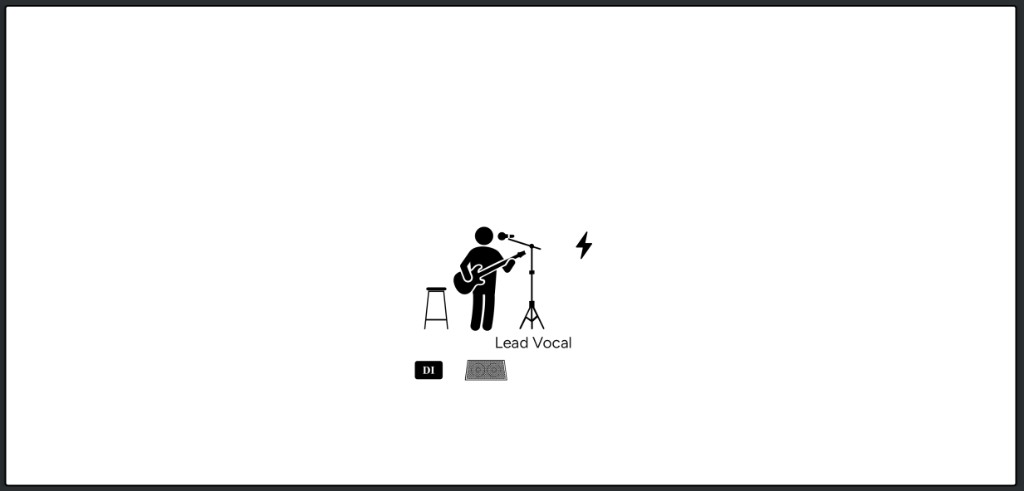
For example, placing a DI icon next to an acoustic guitarist tells the crew where that connection is needed. Showing two DIs beside a stereo keyboard rig makes the need for two channels visible. A bass setup can show the instrument feeding a DI, with the THRU connection continuing to the bass amp. These details are particularly helpful when the venue is preparing the stage before the band arrives.
On the other hand, you do not need to place a DI icon beside every instrument that might eventually pass through one. If the venue routinely supplies DIs and your input list already says “Acoustic Guitar DI,” adding another box to the drawing may not communicate anything new. The goal is clarity, not technical decoration.
When you build a plot in StagePlot.app, you can place the DI box icon near the musician or device that uses it, then use the Inputs and Notes fields to explain the setup. A short note such as Band provides bass DI or Venue to provide four DIs can answer an important production question without crowding the plot. The visual placement, input list, and general notes should support each other rather than duplicate every detail.
How to document DIs in your stage plot
The Inputs field should tell the engineer what each signal is and how many console channels the setup requires. You can keep the channel list simple:
| Channel | Input | Notes |
|---|---|---|
| 1 | Bass | Band provides DI; THRU to bass amp |
| 2 | Acoustic guitar | Venue to provide 2 Mono DI's |
| 3 | Keyboard L | Venue to provide stereo DI for keyboards |
| 4 | Keyboard R | |
| 5 | Tracks |
Use the Monitoring field for the performer's wedge or in ear monitor needs. In this example, that might say One vocal wedge and one wired in ear mix. Bass amp used for stage monitoring. It does not need to repeat the DI routing unless that routing directly affects what the performers need to hear.
The Notes field is a better place for the general production details that apply to the setup as a whole. For this example, a useful note would be: Band provides bass DI with THRU to bass amp. Venue to provide 2 Mono DI's and a stereo DI for keyboards.
The wording does not need to be complicated. The important part is removing ambiguity. If the band is carrying its own DIs, say so. If the venue needs to supply two mono DIs and a stereo DI, say so. If your modeler sends balanced XLR at line level and does not need a DI, identify that output in the Inputs or Notes field instead of automatically requesting one.
It is also helpful to distinguish between a DI output built into an amplifier and a separate DI box placed before it. Those setups can send very different signals to the engineer, especially if one includes the amplifier’s EQ or processing and the other does not.
Common DI box mistakes to avoid
Most DI problems are not caused by the box itself. They come from unclear expectations or incomplete advance information. A band arrives expecting the venue to have six DIs, while the engineer expected the band to bring them. A stereo keyboard is listed as one input. A playback rig is labeled “laptop” without explaining whether its output is a headphone jack, an audio interface, or four separate stems. A bassist expects the house to use the amp’s XLR output, but the stage plot shows a separate DI before the amp.
You do not need to become an audio engineer to prevent these issues. Count your outputs, know whether each one is mono or stereo, identify which equipment you are bringing, and make sure the stage plot and input list describe the same setup. If you are unsure whether a source needs a DI, describe the device and its available outputs in the advance. A useful question to the venue is much better than an incorrect technical demand.
Do you need to own a DI box?
If you regularly play established venues with professional production, the sound team will often have DI boxes available. For occasional shows, that may be all you need. Still, owning a reliable DI can be worthwhile if your instrument depends on one, you play DIY spaces or smaller rooms, or you want the same signal chain every night.
Musicians with acoustic instruments that use piezo pickups may benefit from carrying an active DI or preamp chosen specifically for their pickup. Keyboard players and artists running stereo tracks may prefer a stereo DI so they are not dependent on two matching house boxes. Bassists may carry a favorite DI because it is part of their tone, even when the amplifier includes its own output. The best reason to own one is not that every musician is supposed to. It is that the box solves a repeatable problem in your particular rig.
Once you know what each source is sending, document it. A good stage plot will not make the show mix itself, but it gives the production team a clear picture before you arrive. That means fewer surprises when you arrive, a faster soundcheck, and more time to focus on the performance.
Ready to map out your setup? Build a stage plot online with StagePlot.app, add DI boxes and other stage equipment, and keep your input list connected to the same plot.